Introduction
In today’s fast-evolving digital world, mobile interfaces are no longer static. One of the most visually engaging trends in UI/UX design is mobile rolling icons—a dynamic way of displaying app icons that move, scroll, or rotate smoothly across the screen. These animations not only enhance aesthetics but also improve user interaction and engagement.
Whether you’re a developer, designer, or tech enthusiast, understanding rolling icons can help you create more modern and interactive mobile experiences.
What Are Mobile Rolling Icons?
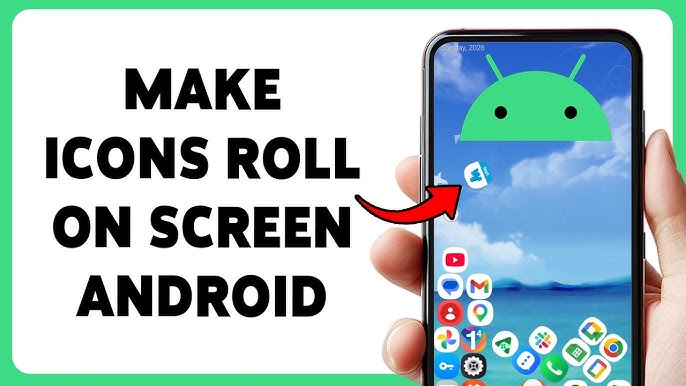
Mobile rolling icons refer to animated app icons that move continuously or interactively, often in a horizontal, vertical, or circular motion. Unlike traditional static icons, these icons respond to gestures or automatically animate.
Common examples include:
- Scrolling app drawers
- Carousel-style icon displays
- Rotating menus in mobile apps
- Animated home screen launchers
Why Mobile Rolling Icons Matter in UI/UX
1. Enhanced User Engagement
Motion naturally attracts attention. Rolling icons make users more likely to explore your app.
2. Improved Navigation
Animations can guide users visually, making it easier to find apps or features.
3. Modern Look and Feel
Static interfaces feel outdated. Rolling icons give your app a sleek, futuristic appearance.
4. Better Space Utilization
Instead of cluttering the screen, rolling icons allow you to display more options in limited space.
Types of Mobile Rolling Icon Animations
🔄 Horizontal Scrolling Icons
Icons move left and right, commonly used in app galleries.
🔁 Vertical Rolling Icons
Used in lists or feeds where icons scroll up and down.
🌀 Circular or Carousel Icons
Icons rotate in a circular path, often seen in creative launchers.
🎯 Gesture-Based Rolling Icons
Icons move based on user swipe or touch interaction.
How Mobile Rolling Icons Work
Mobile rolling icons are typically implemented using animation frameworks and UI libraries. For example:
- On Android: Developers use RecyclerView, ViewPager, or MotionLayout
- On iOS: UIKit or SwiftUI animations
- On Web Apps: CSS animations and JavaScript libraries
These tools allow smooth transitions, inertia effects, and touch-based interactions.
Best Practices for Designing Rolling Icons
Keep Animations Smooth
Avoid laggy or jittery movements. Performance is key.
Don’t Overuse Motion
Too much animation can confuse users rather than help them.
Maintain Consistency
Ensure all icons follow the same animation pattern.
Optimize for Performance
Use lightweight assets and efficient code to avoid slowing down the app.
SEO Benefits of Mobile UI Trends Content
Writing about trending UI features like mobile rolling icons helps:
- Rank for long-tail keywords
- Attract developers and designers
- Build authority in tech blogging
- Increase organic traffic
Future of Mobile Icon Animations
With advancements in AI and AR, rolling icons could evolve into:
- Context-aware dynamic icons
- 3D interactive icon systems
- Voice-controlled navigation interfaces
The future of mobile UI is not just functional—it’s immersive.
Conclusion
Mobile rolling icons are more than just a visual trend—they represent a shift toward more interactive and engaging user experiences. By implementing smooth, intuitive animations, developers and designers can significantly enhance usability while keeping their apps modern and appealing.