In today’s fast-paced digital world, staying connected is everything. Whether you’re using a smartphone, laptop, or tablet, battery life plays a crucial role in your daily productivity. But how often do you forget to unplug your device after it’s fully charged—or worse, let it drain to zero?
This is where battery sound notifications come in.
In this complete guide, you’ll learn what battery sound notifications are, why they matter, how to enable them, and the best apps to use in 2026.
🔔 What Is a Battery Sound Notification?
A battery sound notification is an alert—usually a sound or voice prompt—that notifies you about your device’s battery status. These alerts can trigger when:
- Battery is fully charged (100%)
- Battery is low (e.g., 20% or below)
- Charging starts or stops
- Overcharging occurs (on supported apps/devices)
Instead of constantly checking your phone, these notifications keep you informed automatically.
⚡ Why Battery Sound Notifications Are Important
1. Prevent Overcharging
Keeping your device plugged in after 100% can degrade battery health over time. A sound alert helps you unplug at the right moment.
2. Avoid Sudden Shutdowns
Low battery alerts ensure your device doesn’t die unexpectedly—especially during important tasks or calls.
3. Improve Battery Lifespan
Consistent monitoring and timely charging habits extend your battery’s life.
4. Convenience & Automation
No need to manually check battery percentage—your device talks to you.
📱 How to Enable Battery Sound Notification on Android
Most Android phones don’t offer built-in full-charge alerts, but you can easily enable them using apps.
Method 1: Using Built-in Settings (Limited)
Some Android devices allow:
- Low battery alerts (default)
- Charging sound toggle
Check:
Settings → Sound & Vibration → Charging Sounds
Method 2: Using Third-Party Apps (Recommended)
Popular apps include:
- Full Battery Alarm
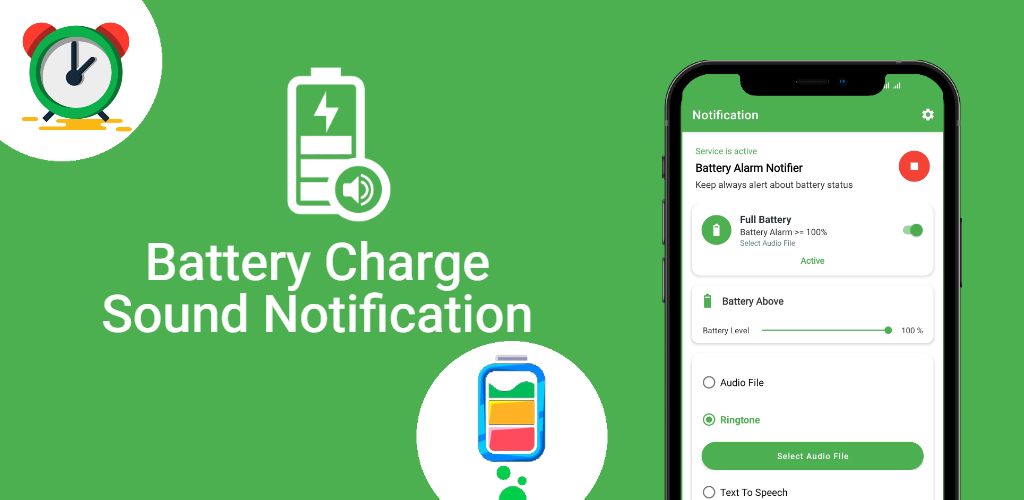
- Battery Sound Notification
- AccuBattery
These apps let you:
- Set custom alerts (e.g., 80%, 90%, 100%)
- Use voice notifications
- Customize alarm tones
🍏 Battery Sound Notification on iPhone
Apple devices don’t natively support full battery alerts, but you can create one using the Shortcuts app.
Steps:
- Open Shortcuts
- Go to Automation
- Tap “Create Personal Automation”
- Select “Battery Level”
- Set it to 100%
- Add action → “Speak Text”
- Enter: “Battery fully charged”
Now your iPhone will notify you when charging completes.
🧠 Best Battery Sound Notification Apps (2026)
Here are some top-rated apps you should consider:
🔹 Full Battery Alarm
- Simple interface
- Loud alert when fully charged
- Custom battery percentage
🔹 AccuBattery
- Advanced battery health tracking
- Charging alerts
- Detailed usage stats
🔹 Battery Sound Notification App
- Voice alerts
- Custom tones
- Lightweight and efficient
🖥️ Battery Alerts on Windows & Laptops
On Windows laptops, you can manage alerts through:
- Power & Battery Settings
- Third-party tools like BatteryBar
You can configure:
- Low battery warnings
- Critical battery alerts
However, full-charge notifications may require additional software.
🔊 Customizing Your Battery Notification Sound
Make your alerts more personal by:
- Choosing your favorite ringtone
- Using voice alerts (“Battery full!”)
- Setting vibration patterns
Some apps even let you use AI voice alerts for a futuristic experience.
🚫 Common Mistakes to Avoid
- Ignoring battery alerts
- Charging overnight without monitoring
- Using unreliable apps with ads or malware
- Setting too many alerts (can become annoying)
📊 Pro Tips for Better Battery Health
- Keep battery between 20%–80%
- Avoid extreme temperatures
- Use original chargers
- Don’t fully drain frequently
Battery sound notifications help reinforce these habits.
🔍 SEO Keywords You Can Target
To rank your blog, include keywords like:
- battery sound notification
- full battery alarm app
- battery full alert Android
- iPhone battery notification shortcut
- battery charging alert app
🏁 Final Thoughts
Battery sound notifications are a small feature with a big impact. They improve convenience, protect your device, and help you develop better charging habits.